From photo to the sent report – in one pass.
One photo is enough. The AI drafts, you review on your phone and send, while still on site.
Four steps to the finished report
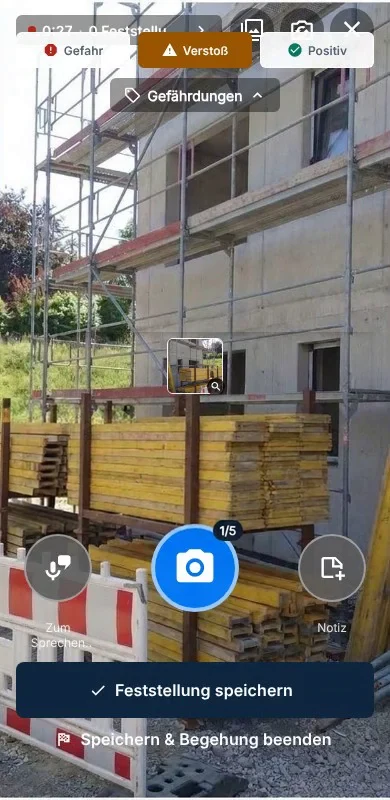
Take a photo
On site with your phone – even without signal. The upload runs by itself once reception is back.
AI detects and suggests
The safety defect, the matching regulation from the library and a measure. You need no note for that.
Review on your phone
You go through the findings one by one: approve, add or correct. Every text stays editable.
Send the report
The report goes to your preset recipients as a PDF – while still on site. Reworking at a computer is possible but not needed.
A defect with its regulation, not a photo with a note.
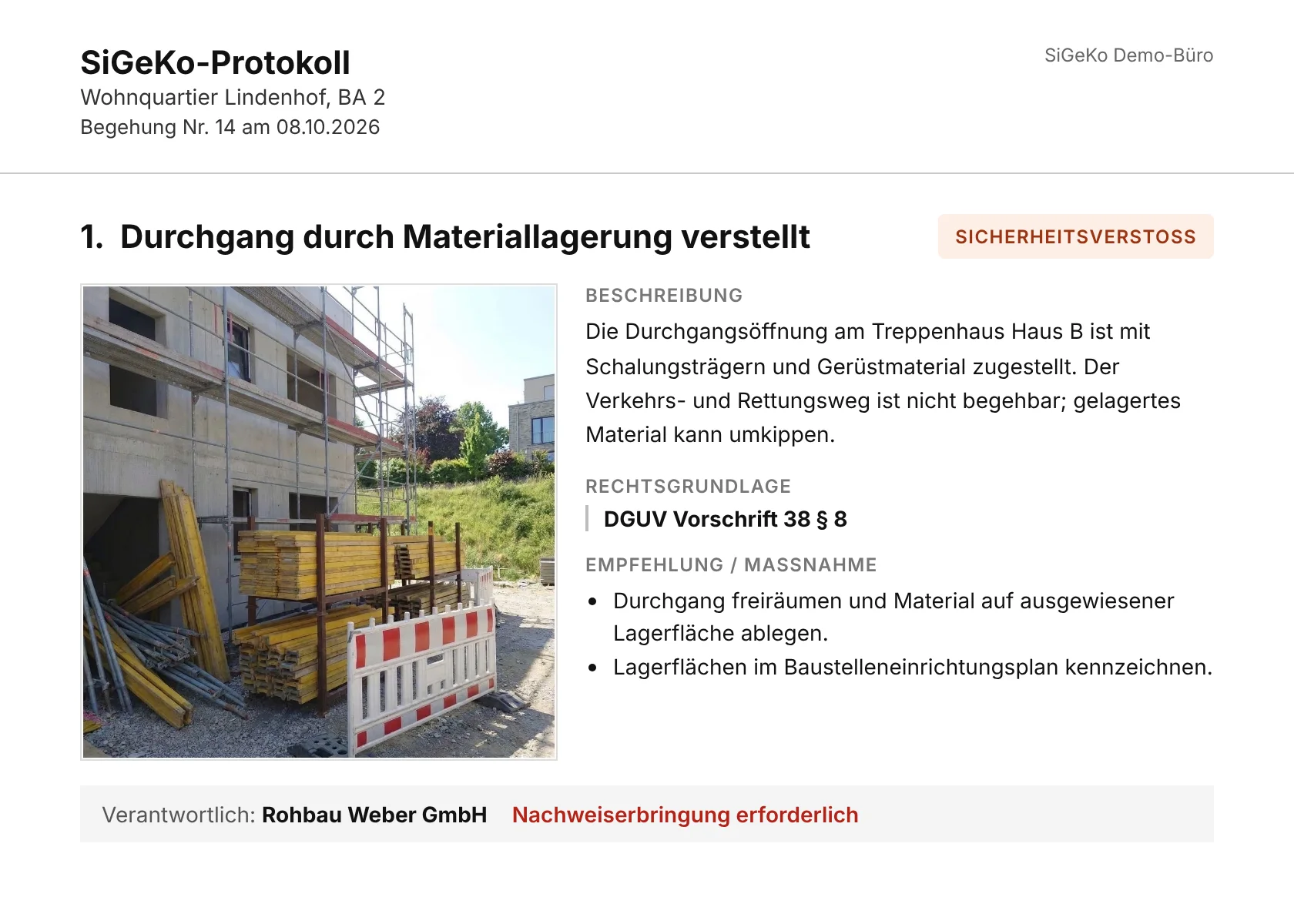
From your photo Zepia makes a complete finding: the description of the defect, the relevant regulation from DGUV, ASR and TRBS and the recommended measure. This is how you see it in the app.
- A photo is enough – add a voice or text note if you want to say more
- You decide: no finding counts until you approve it
- Amber marks what the AI drafted and still needs your review
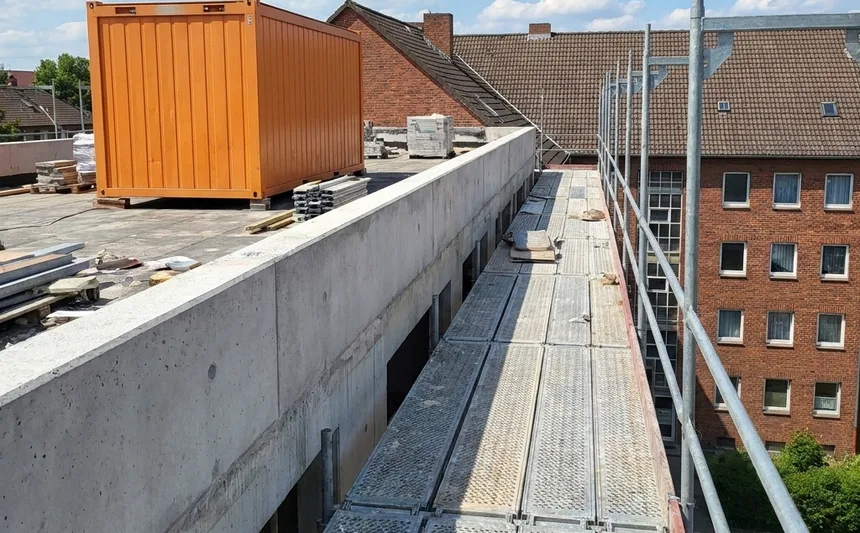
There is no safe crossing from the scaffold to the roof. The walkway is neither set up nor marked.
Workplaces and traffic routes must be set up so that they can be walked on safely.
- Provide a safe crossing from the scaffold to the roof.
- Close off the area until this is fixed.
What's included
Work in the basement and on the shell without signal.
A layout you can show your client – with your own report template.
Site management, subcontractors and clients receive reports for free.
Dictate your remark; Zepia uses it in the analysis.
Timestamp, photo reference and approval are documented for every finding.
The same structure across all coordinators and projects.
Every feature explained step by step: open the help centre
All done on your phone.
The computer is just an option.
Capture, review, approve and send: all of it works in the app, while you are still on site. It takes photos even without signal.
Prefer to rework on a large screen? Open the same inspection in the browser on a computer or tablet, with the same account. You can, but you do not have to.
For iPhone and Android. The browser works right away: app.zepia.ai
Questions about Zepia
What is Zepia?
Zepia is software for construction health-and-safety coordinators (SiGeKo). You photograph a safety defect on site, the AI drafts the finding and suggests the matching occupational-safety regulation. You review, edit and approve. Zepia is made for safety defects, not for construction defects in general. Zepia turns it into the inspection report as PDF and Word.
Who is Zepia for?
For health-and-safety coordinators under the German Construction Site Ordinance (BaustellV): freelance coordinators, coordination offices, developers and general contractors in Germany.
Which regulations does Zepia know?
The Zepia library holds more than 890 regulations and rules from DGUV, ASR and TRBS. Every citation points to a real source in that library.
Does the AI make up regulations?
No. Zepia only cites from its curated library, and no finding counts until you approve it. Professional responsibility stays with you. The AI takes over the typing and the looking-up.
Does Zepia work without signal on site?
Yes. The app saves photos and voice notes on the phone first and uploads them by itself once there is signal again.
Where is my data stored?
In the EU, GDPR-compliant. Zepia uses no ad-tech and no tracking cookies.
Which devices does Zepia run on?
As a smartphone app, from the App Store for iPhone and from Google Play for Android: that is where you capture, review and send. If you prefer to rework on a large screen, use Zepia in the browser on any computer or tablet.
Questions about price and subscription: see pricing · More guides: open the help centre
Run your next site inspection with Zepia
- 14 days free, no obligation
- No subscription, no payment details
Questions? Your contact: Stefan Toldrian, co-founder · kontakt@zepia.ai