See first how an inspection with Zepia works.
A finished example inspection to look at: the film, the steps one by one and the report that is sent at the end. No account, no sign-up.
From photo to report – in 70 seconds
With sound (German). Click the picture to start.
An inspection in four steps
This is how it goes on the sample site, and just the same on yours.
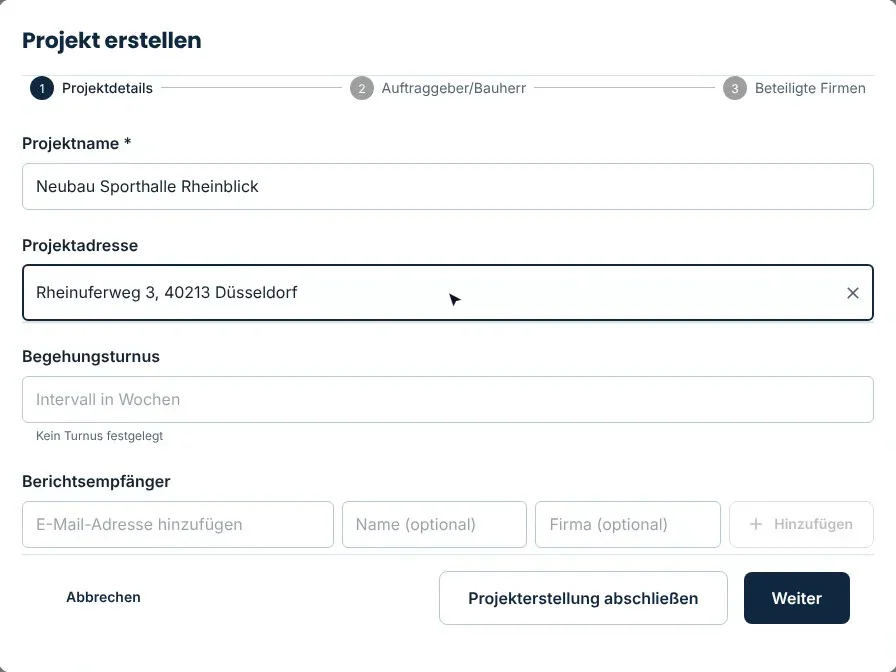
Create the project
Once per site, on your phone or on a computer. After that everything is ready for every further inspection.
- Client and address of the site
- The companies involved and their contacts
- The recipients who will get the report later
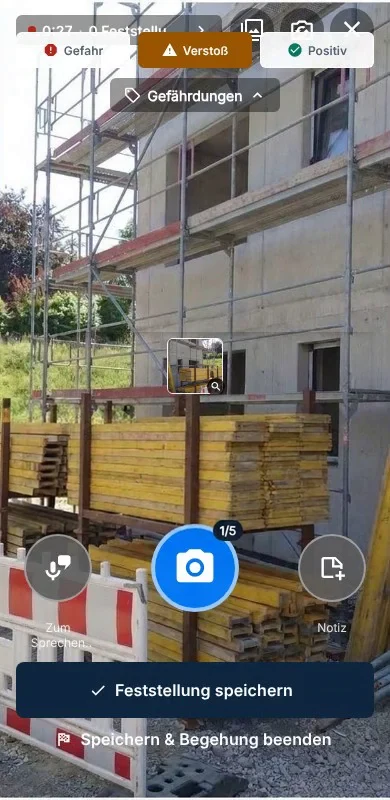
Start the inspection: one photo is enough
You photograph the defect. That is all you have to do. The AI does the rest while you walk on.
- The AI detects and describes the safety defect
- It picks the matching regulations from the library
- Remedial measures go into the report automatically
End the inspection and review on your phone
You go through the findings one by one. What the AI suggests, you approve, add to or correct.
- Description, regulation and measure at a glance
- Every text stays editable
- Nothing is in the report that you have not approved
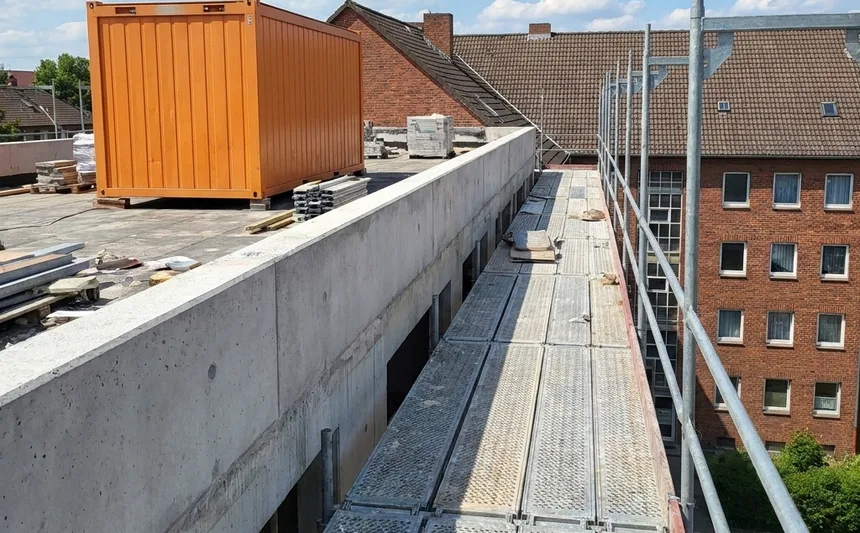
There is no safe crossing from the scaffold to the roof. The walkway is neither set up nor marked.
Workplaces and traffic routes must be set up so that they can be walked on safely.
- Provide a safe crossing from the scaffold to the roof.
- Close off the area until this is fixed.
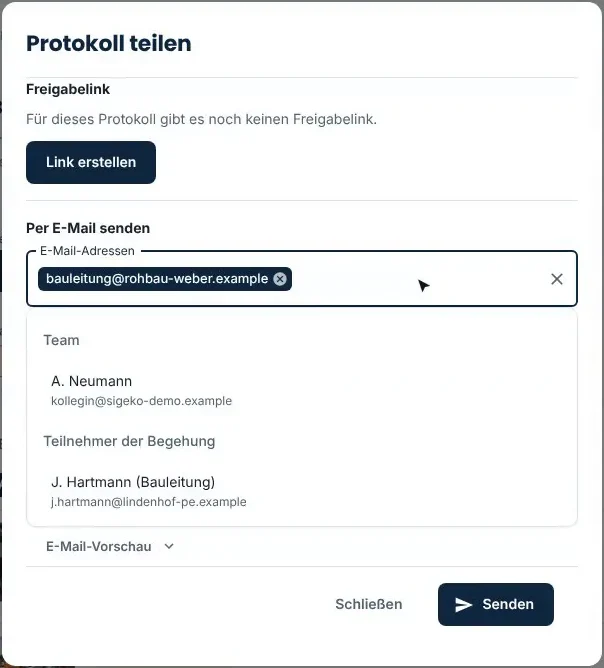
Send the report
One tap and the report goes to the recipients as a PDF. While you are still on site.
- Recipients need no account and pay nothing
- You see when the report went to whom
- Also as a Word file if you want to rework it
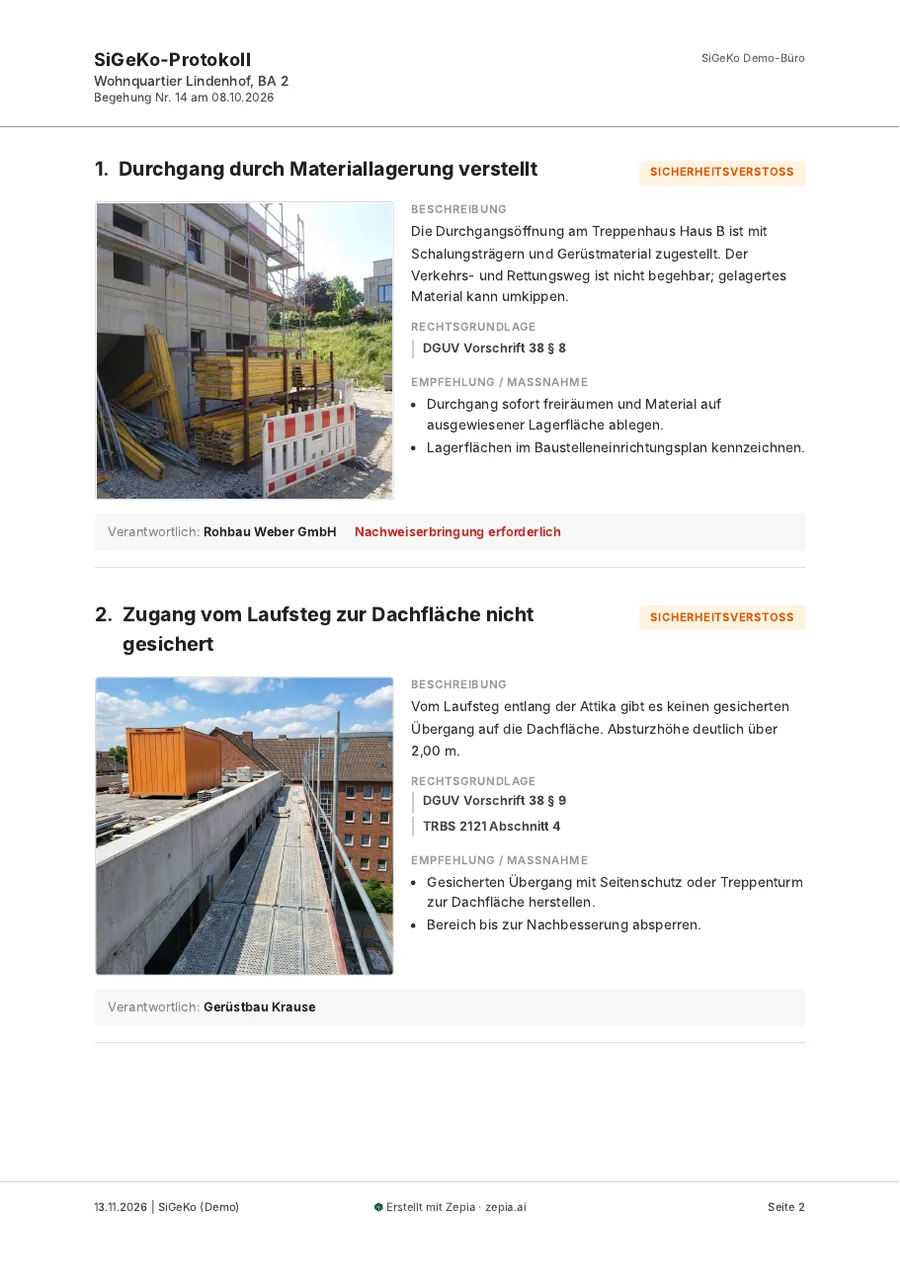
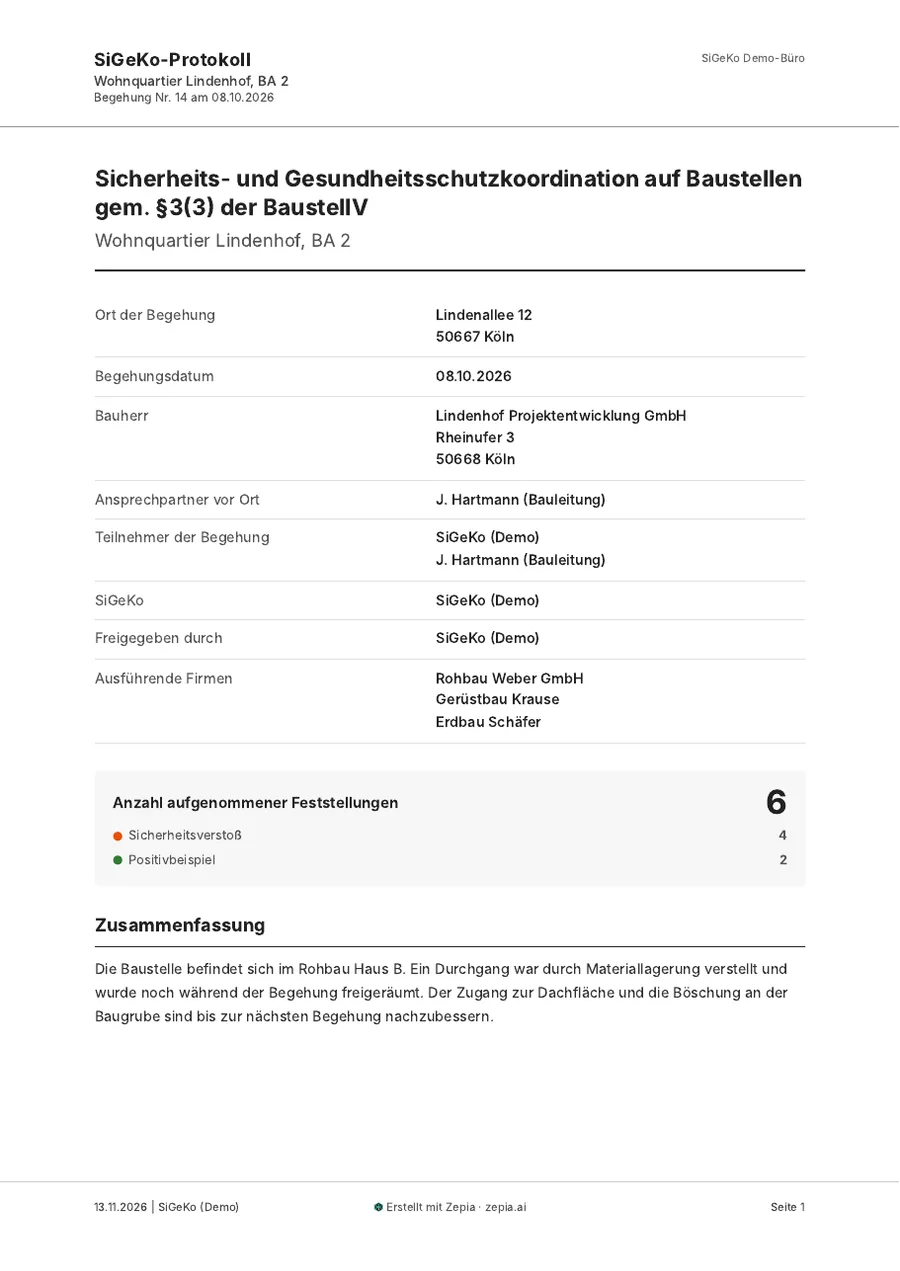
The sample report: just as Zepia creates it.
Not a mock-up but a report from Zepia itself: cover page, six findings with photo, description, legal basis and measure. The site and all names in it are fictional.
Sent reports stay stored in your account. You can open them again at any time; Zepia does not delete them after a set period.
Now click through it yourself.
The sample site opens in Zepia. You see the same inspection as here, can click everything and cannot break anything.
Questions? We are happy to show you Zepia in person.